Onboarding Wizard
A multi-step onboarding wizard implementation across React, Vue, and Lit.
Try it Live
Open any framework example directly in StackBlitz:
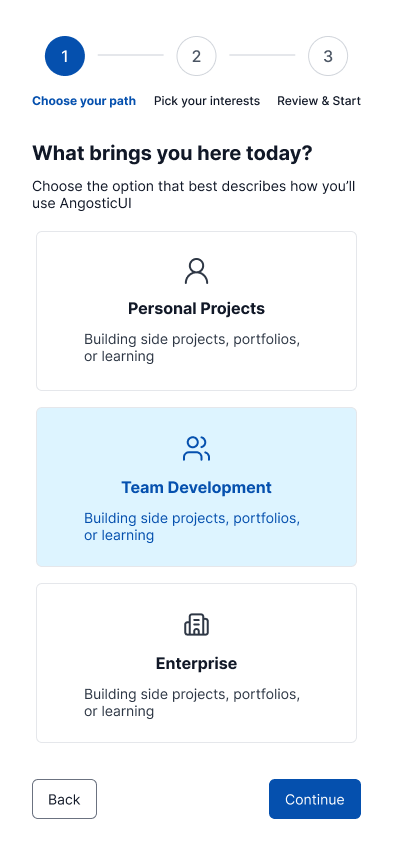
Mobile - Step 1
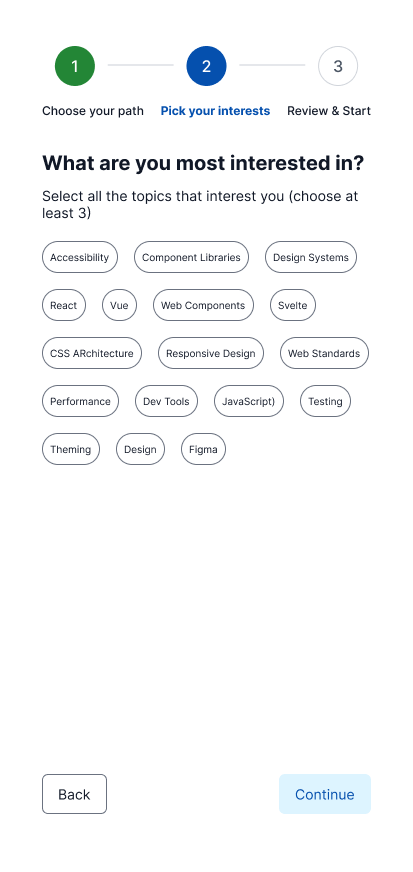
Mobile - Step 2a
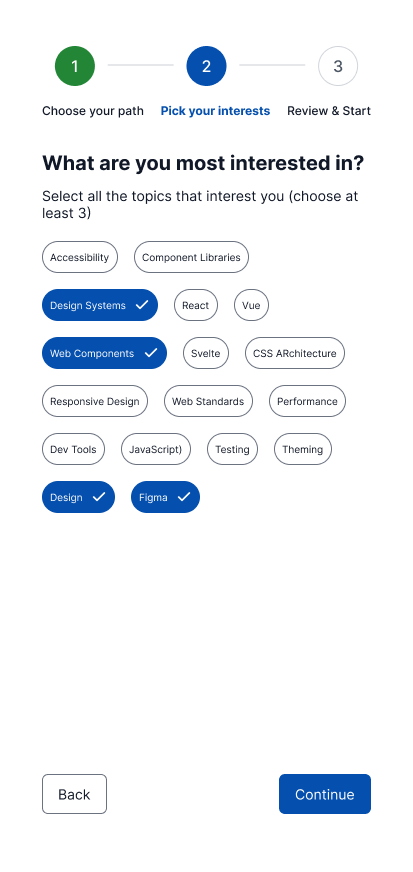
Mobile - Step 2b
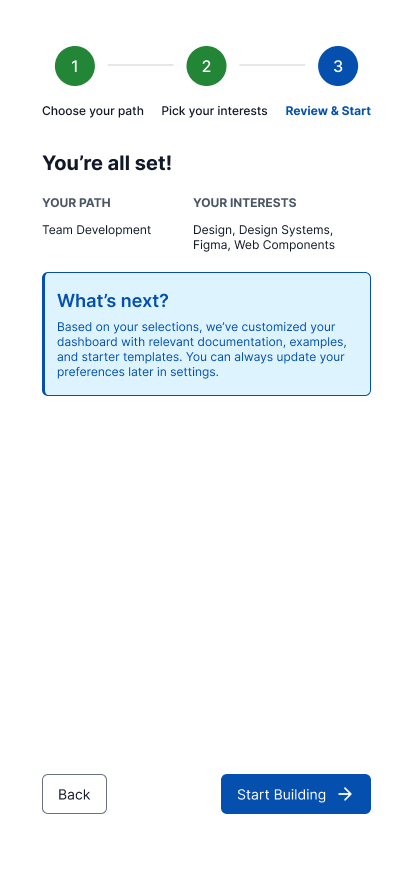
Mobile - Step 3
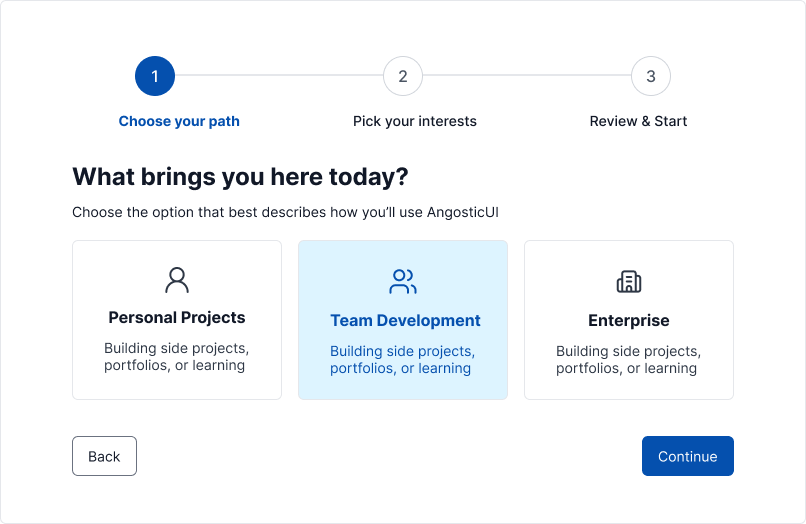
Desktop - Step 1
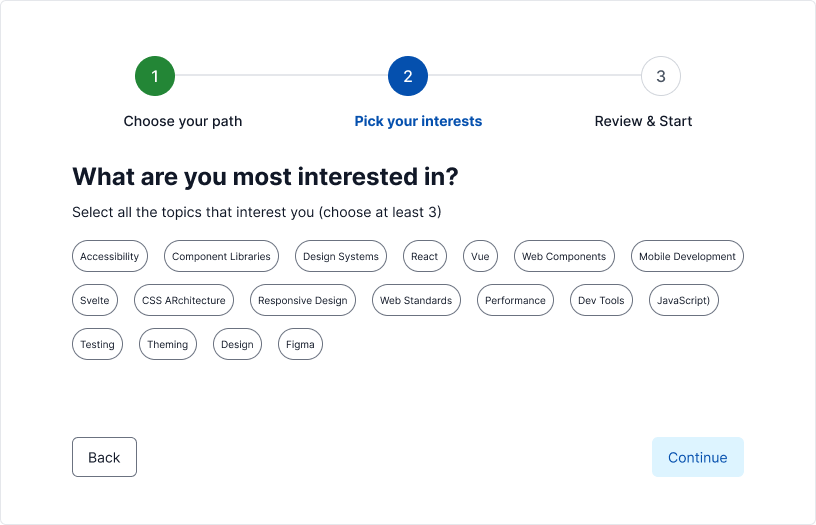
Desktop - Step 2a
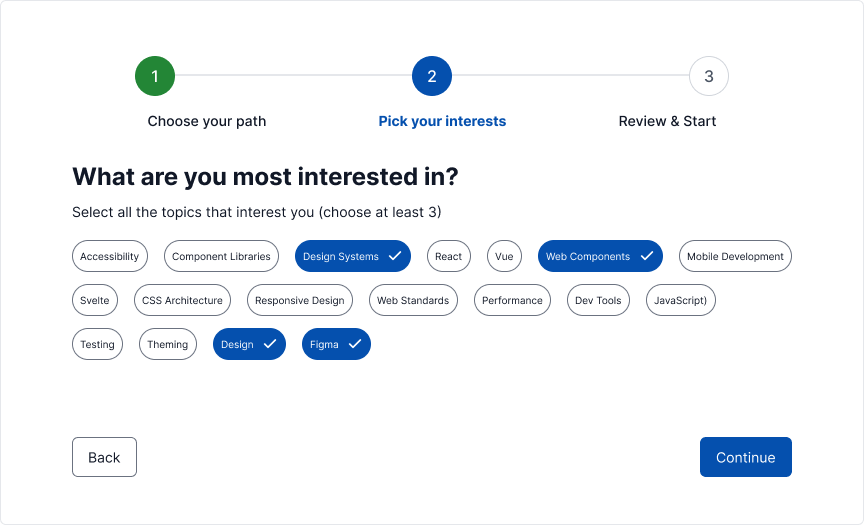
Desktop - Step 2b
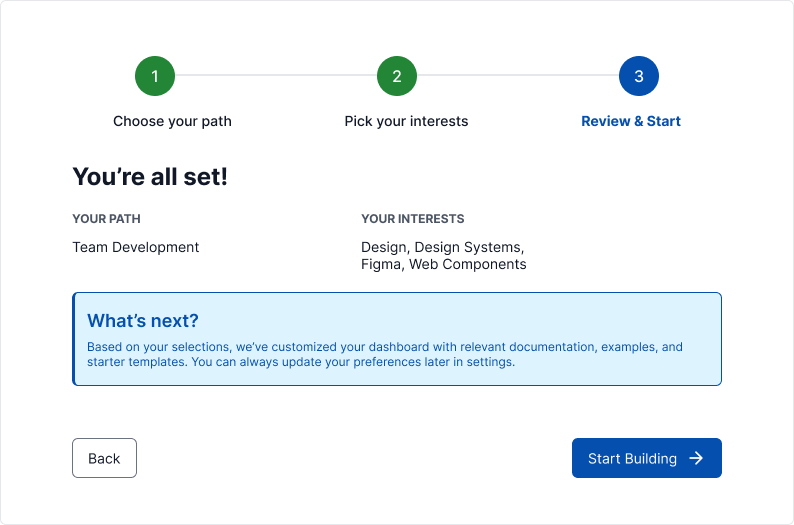
Desktop - Step 3
Skins & Customization
Screenshots show the default skin. Each live example includes a skin switcher (bottom-right corner) to preview other themes instantly. Colors, spacing, and typography are fully customizable via design tokens.
What's Included
Experimental Feature: AI-Assisted UI Generation
Generating UI components via LLM prompting is non-deterministic; different models (and even different versions of the same model) can produce drastically varying results from identical prompts.
While these prompts have been tested using the Claude Code CLI (running Claude Sonnet 4.5 and Opus 4.5), the output remains experimental. Always verify generated code for visual consistency, accessibility, and production readiness before deployment.
- Three framework examples: React, Vue, and Lit implementations
- Multi-step wizard flow: Welcome, interests selection, frequency selection, and completion steps
- Timeline progress indicator: Visual step tracking with the Timeline component
PROMPT-3-FRAMEWORKS.md: Feed directly to your LLM for AI-assisted customizationPROMPT-VUE.md: LLM prompt to generate Vue onboarding wizard.PROMPT-REACT.md: LLM prompt to generate React onboarding wizard.PROMPT-LIT.md: LLM prompt to generate Lit onboarding wizard (web components so use this for other frameworks like Svelte, Angular, etc.).
Using with an LLM
The PROMPT-3-FRAMEWORKS.md file contains everything an AI assistant needs to understand and modify the onboarding wizard:
- Copy the
PROMPT-3-FRAMEWORKS.mdcontents - Paste into Claude, ChatGPT, or your preferred LLM
- Ask for customizations: "Add a step for selecting notification preferences"
Framework-Specific Prompts
You can follow these same steps for the framework-specific prompts located in the <root>/v2/playbooks/onboarding/ directory:
These versions allow you to customize the onboarding wizard for your specific needs.
Variant II — Carousel Slider Wizard
Distributes interest selection across three focused category steps (6 items each) with a momentum-based, one-question-per-screen carousel UX. Replaces the Timeline step indicator with a linear AG Progress bar, inserts a mini confirmation interstitial at the halfway point, and adds a dark mode header toggle and SkinSwitcher FAB.
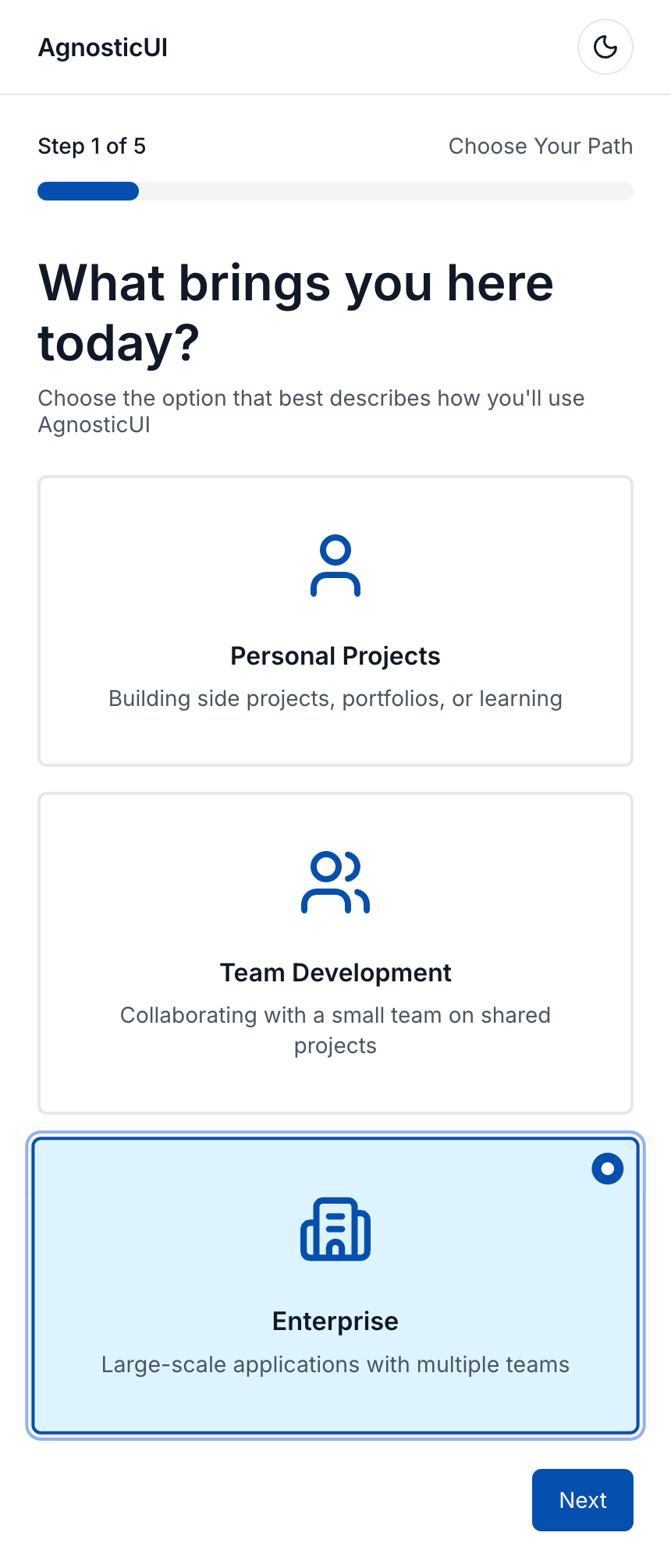
Mobile - Step 1: Choose Path
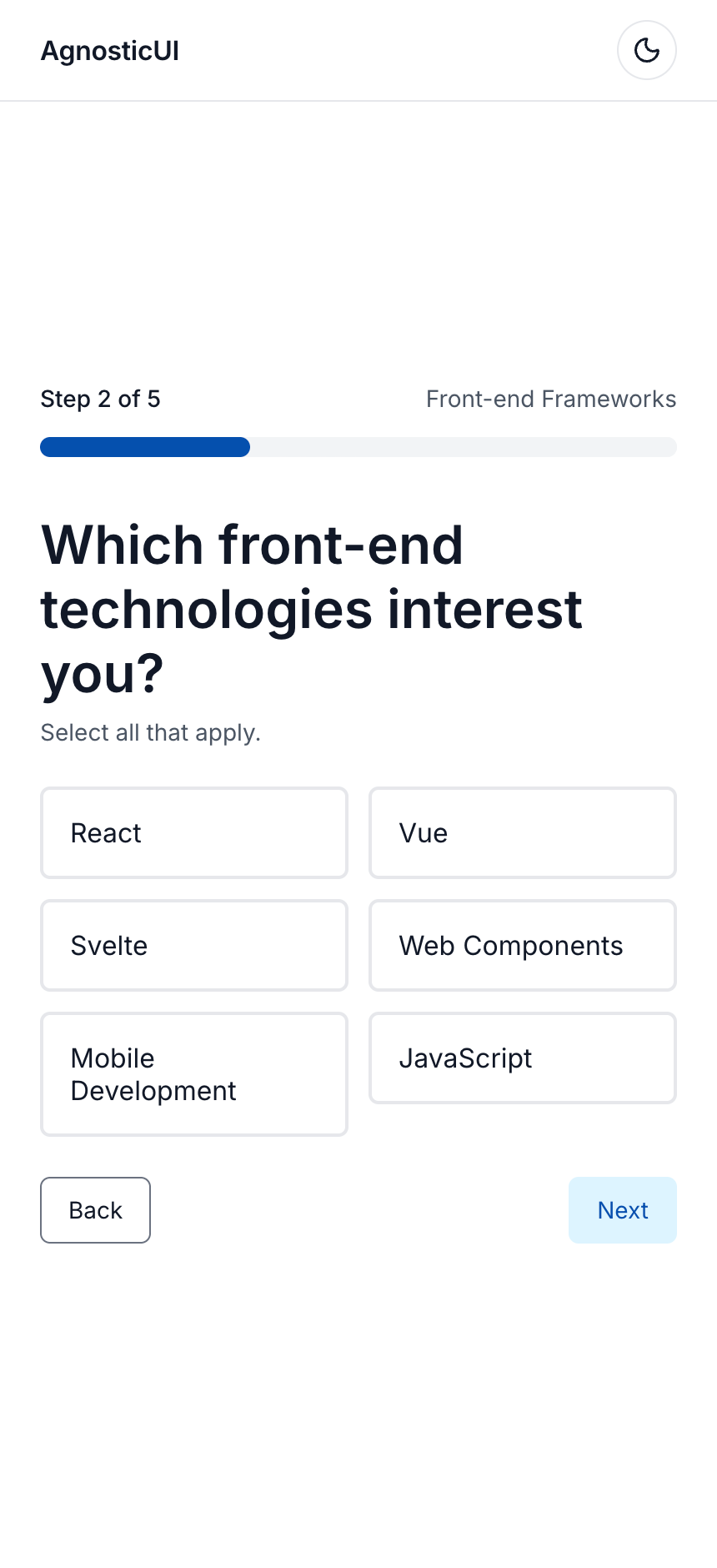
Mobile - Step 2: Frameworks
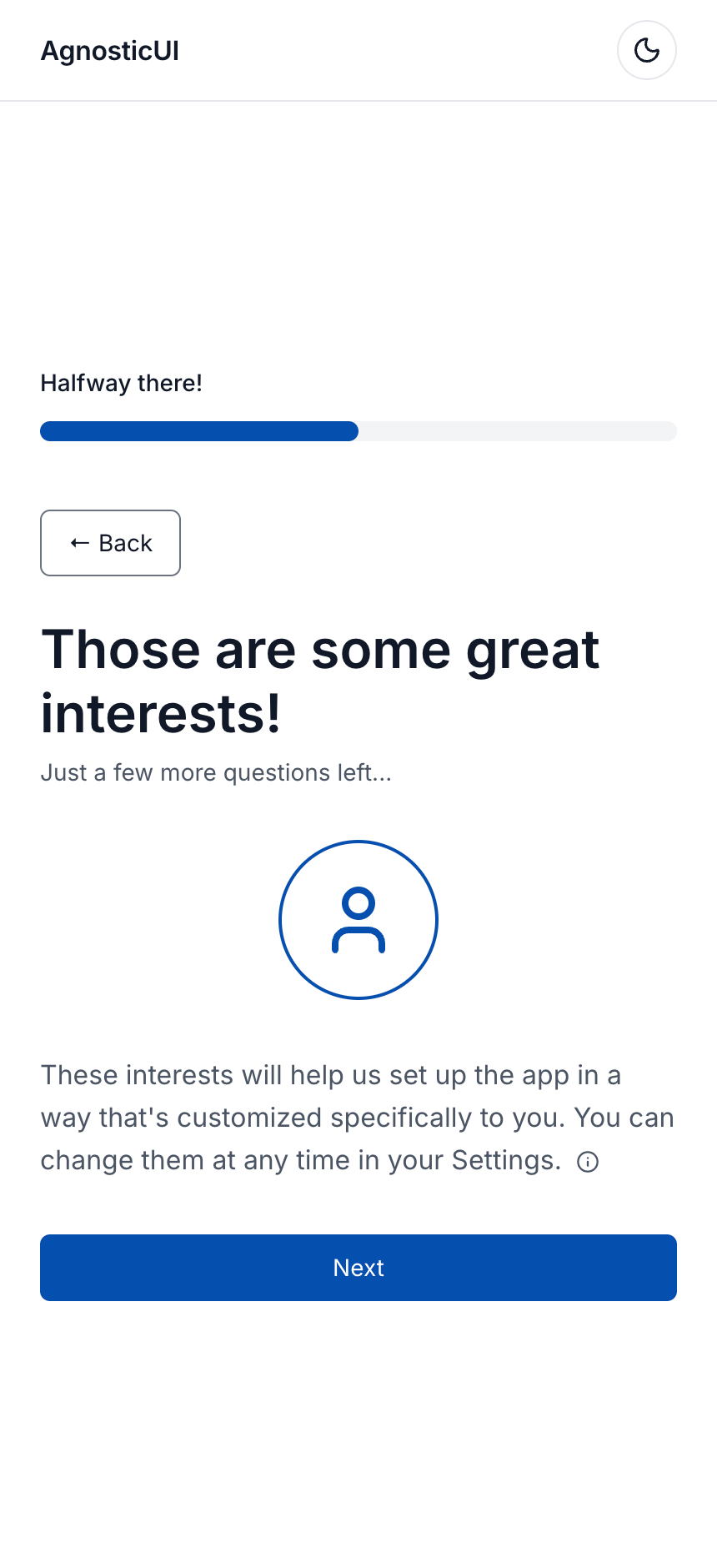
Mobile - Step 3: Interstitial
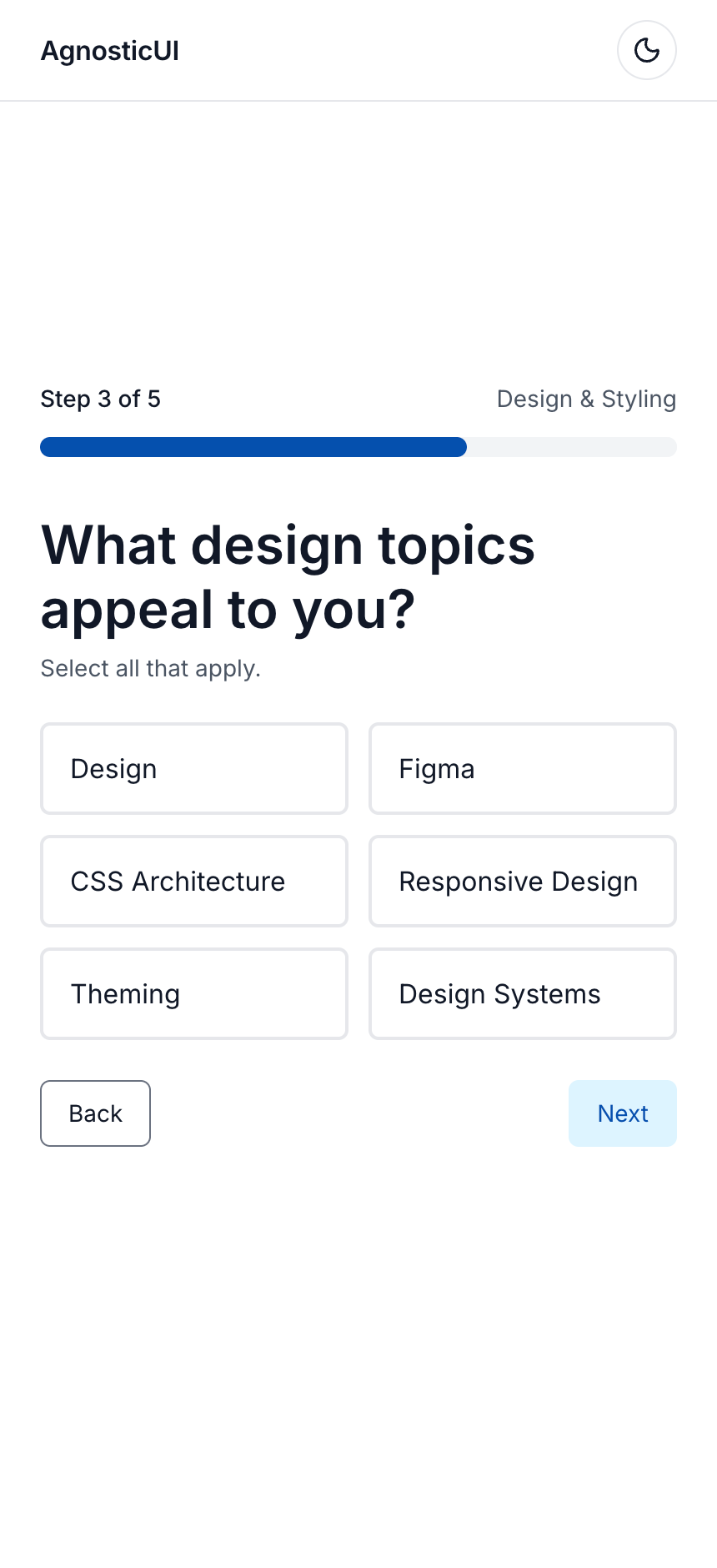
Mobile - Step 4: Design
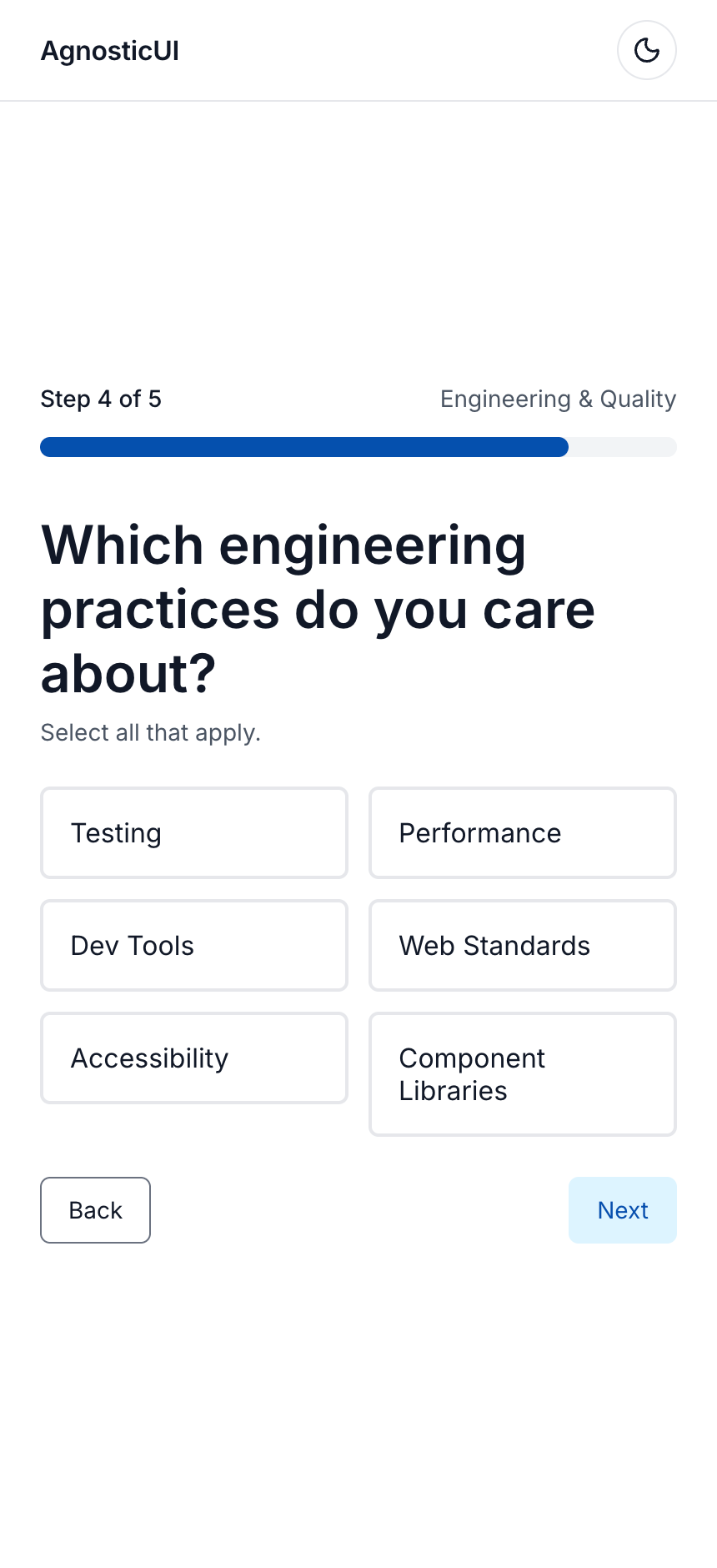
Mobile - Step 5: Engineering
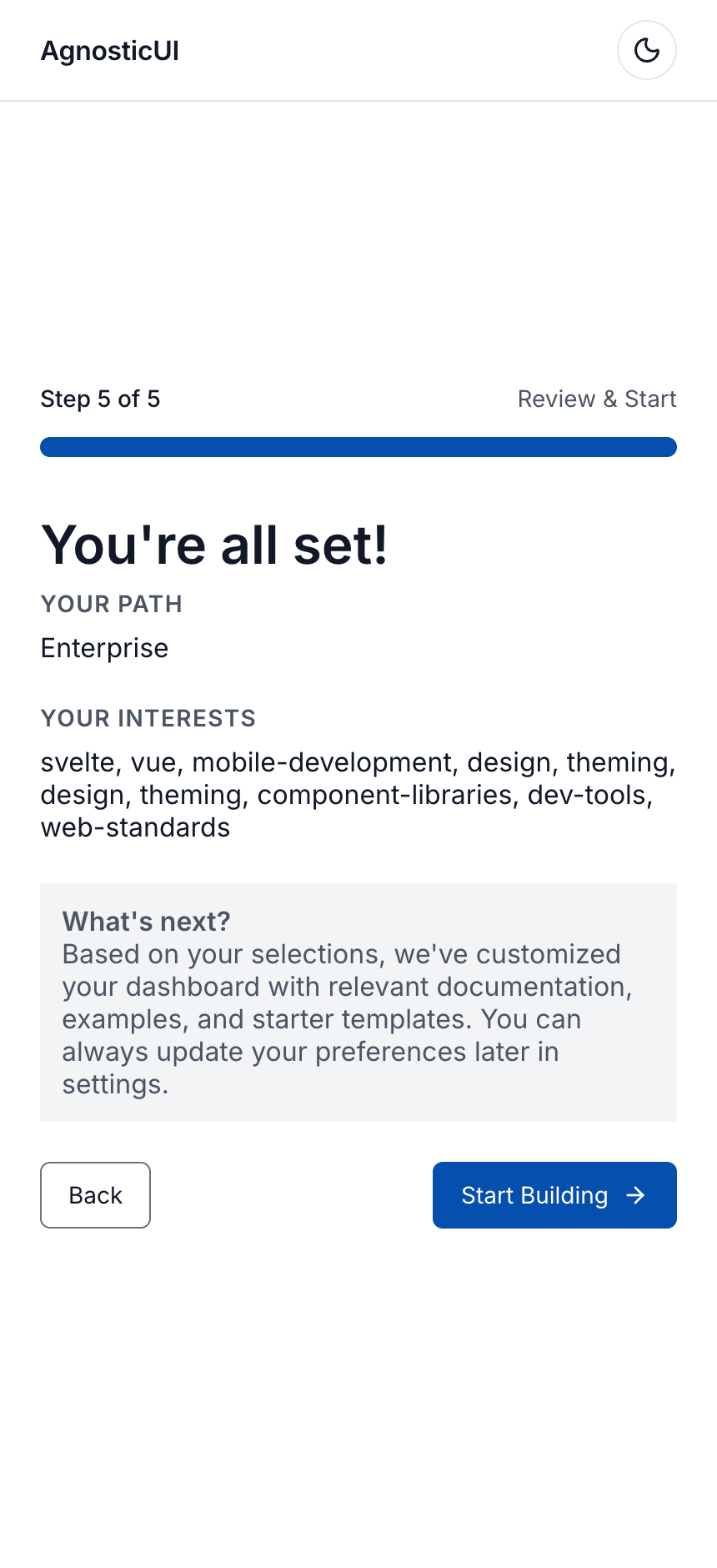
Mobile - Step 6: Review
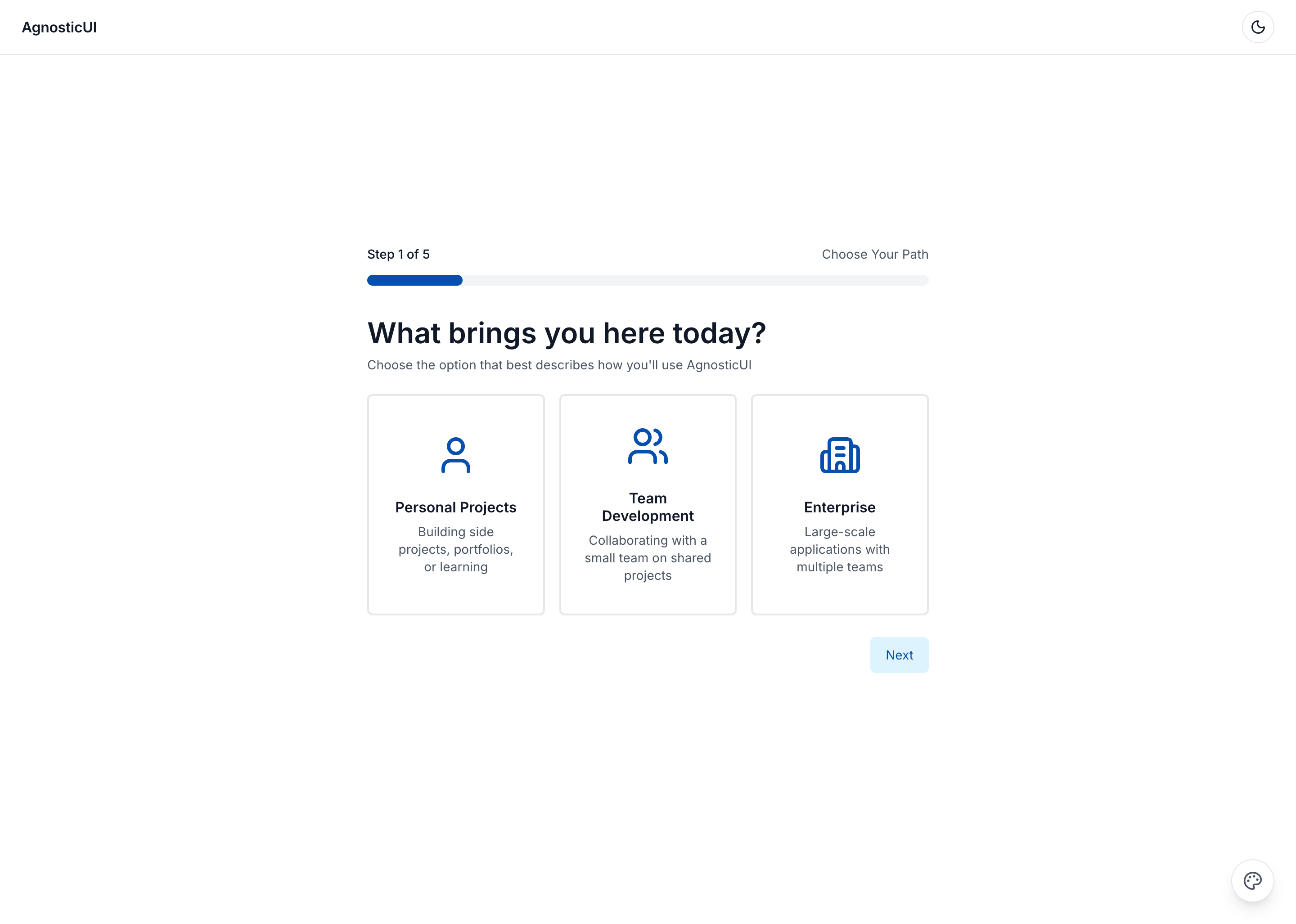
Desktop - Step 1: Choose Path
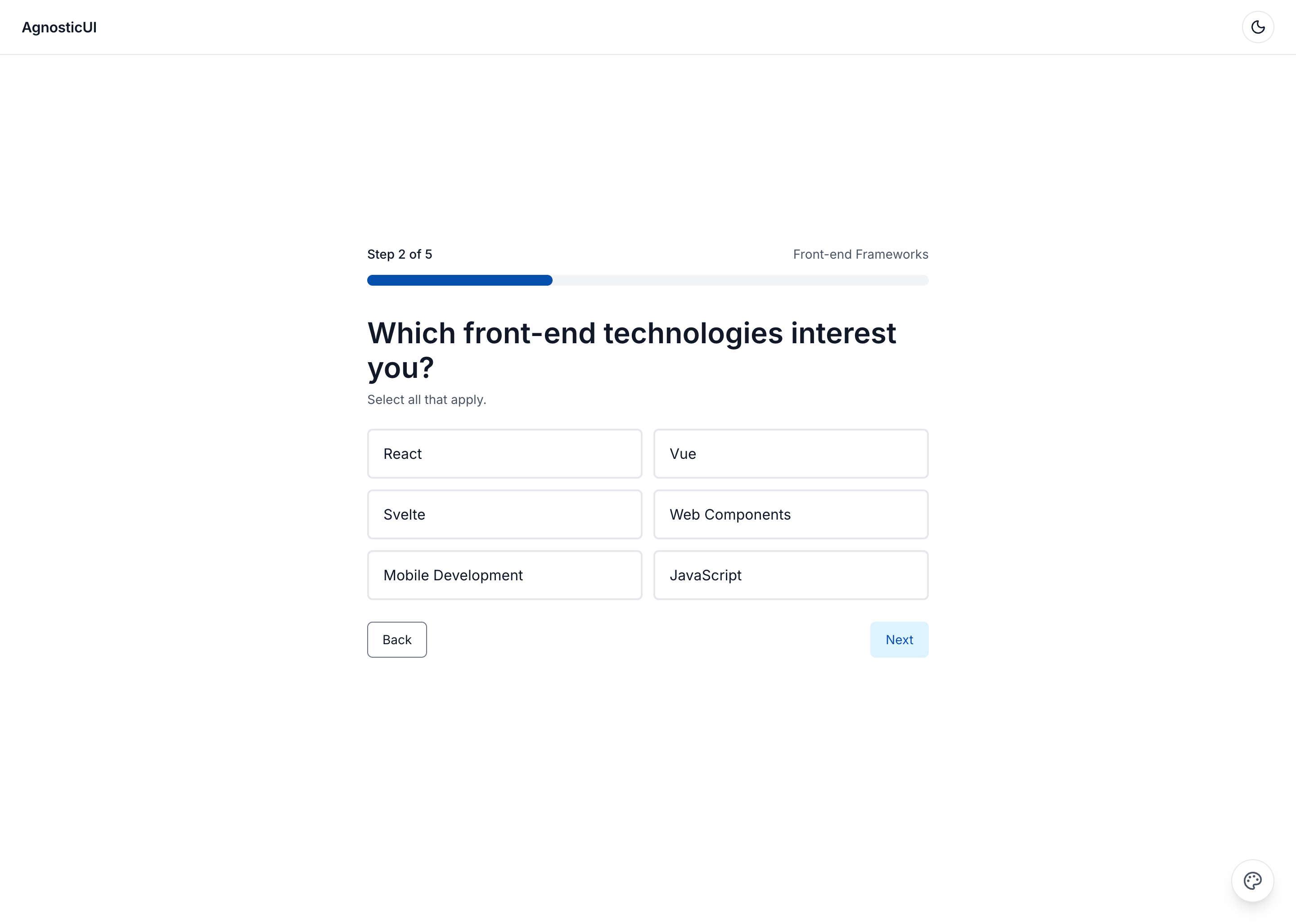
Desktop - Step 2: Frameworks
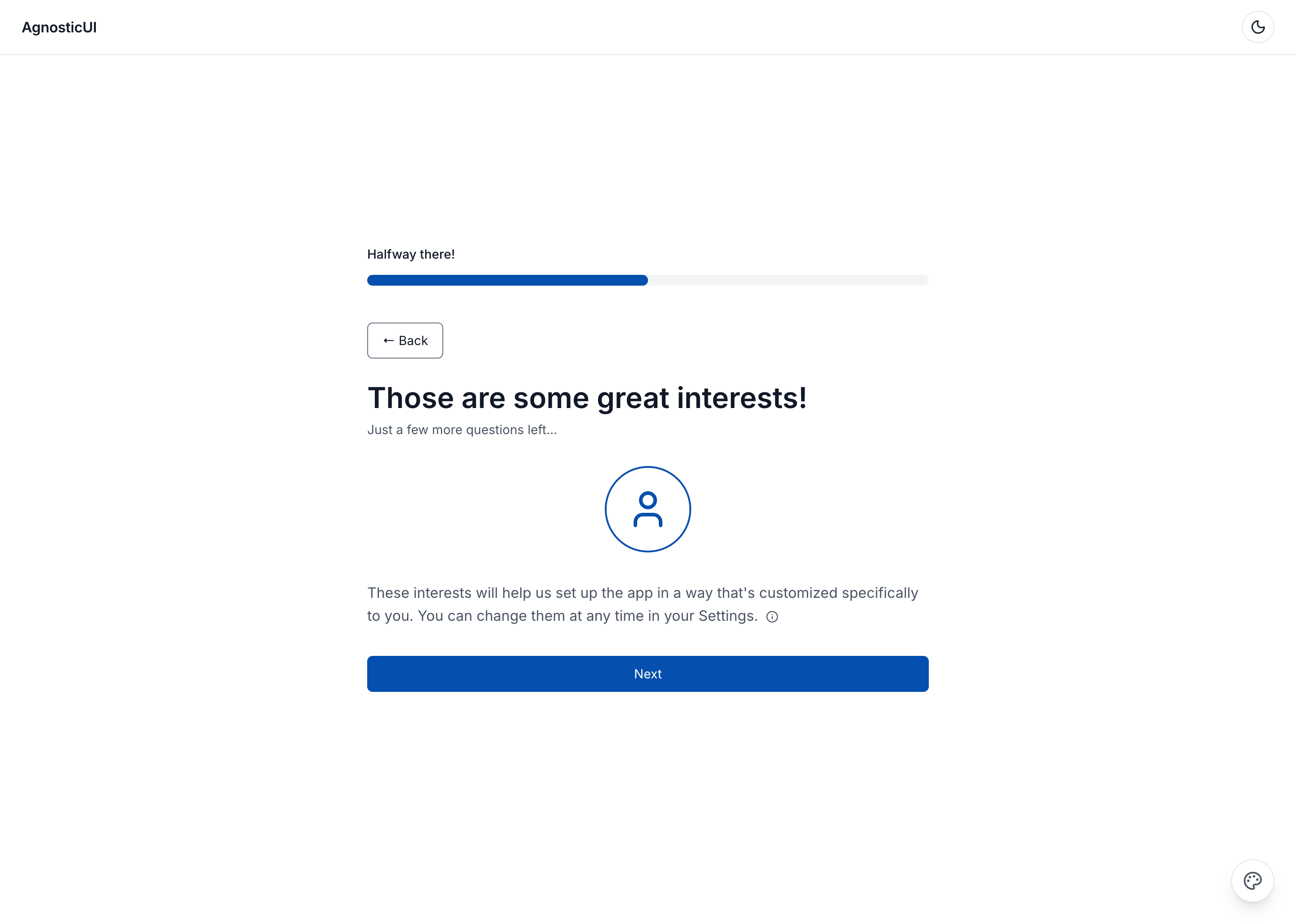
Desktop - Step 3: Interstitial
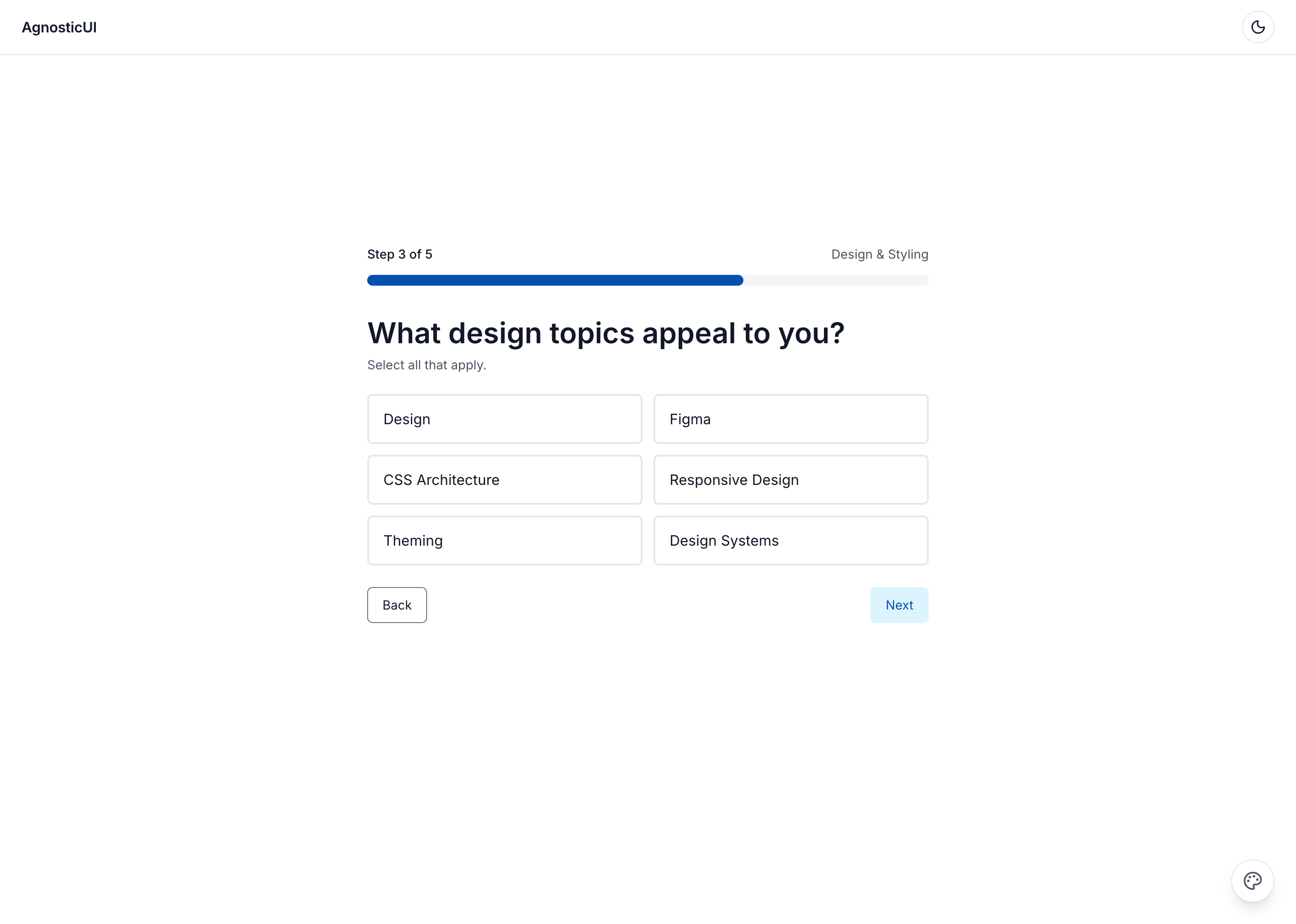
Desktop - Step 4: Design
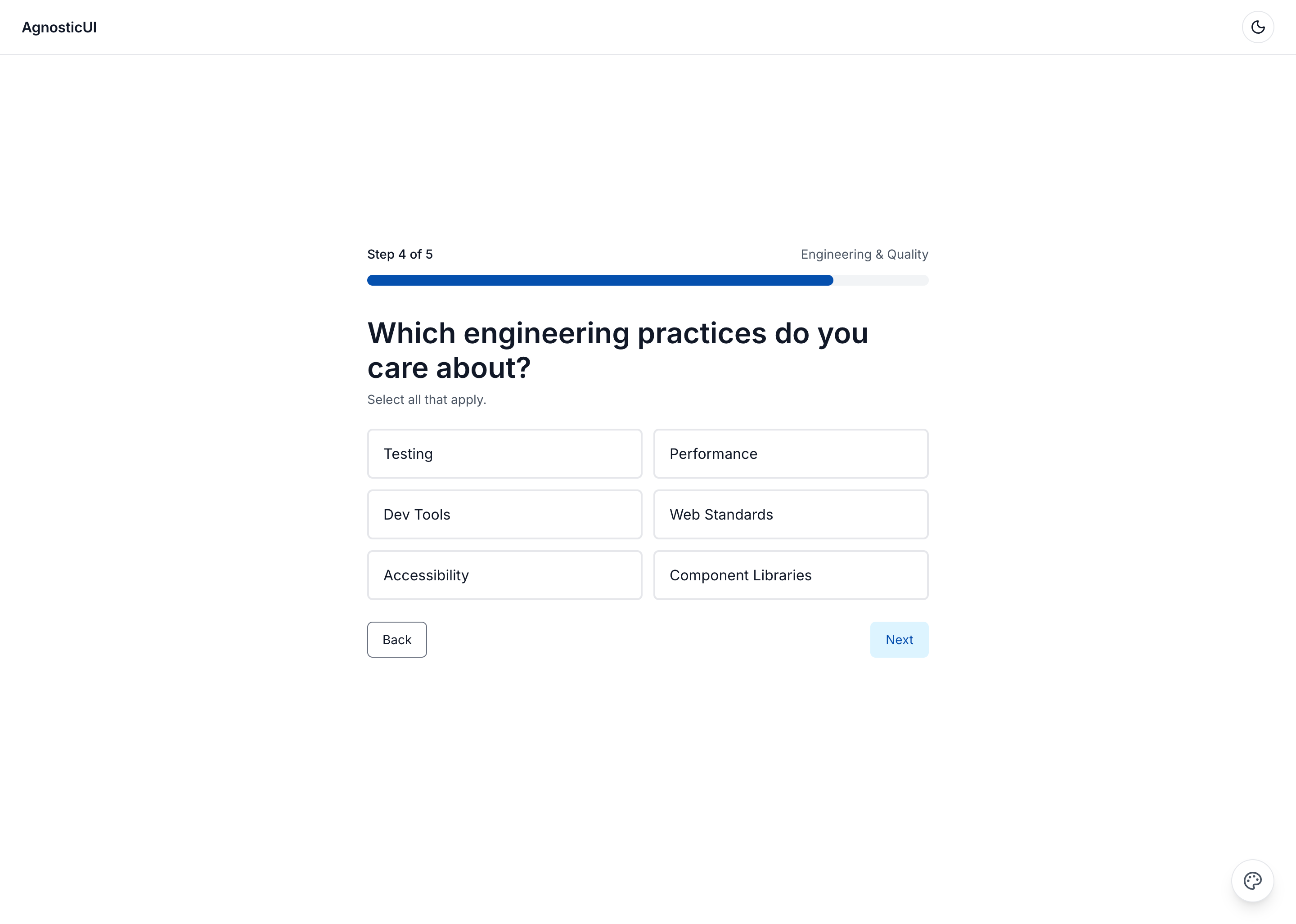
Desktop - Step 5: Engineering
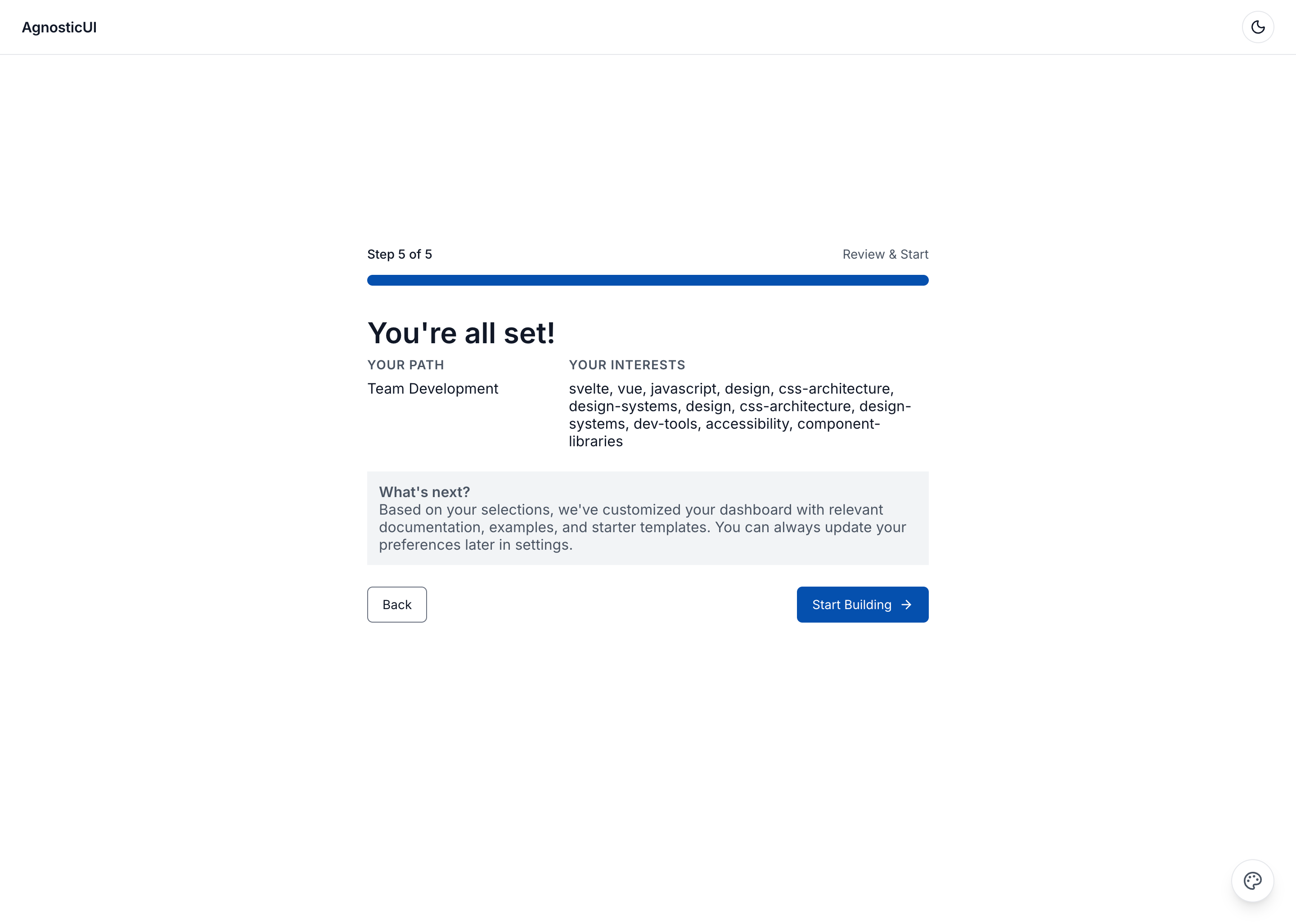
Desktop - Step 6: Review
Variant II Prompt
To generate or customize this variant with an LLM, use PROMPT-3-FRAMEWORKS-V2.md.
Components Used
| Component | Purpose |
|---|---|
ag-button | Navigation and action buttons |
ag-timeline | Step progress indicator |
ag-icon | Icons for steps and selections |
ag-alert | Success message on completion |
ag-selection-card-group | Interest selection cards |
ag-selection-button-group | Frequency selection options |